Shipping profile calculation
1. Old and new calculation
A new type of calculation has been developed to optimise performance and avoid undesirable behaviour.
It often took a long time for the calculation to be completed and sometimes led to no result.
In the previous calculation of shipping profiles, the focus was placed on the priorities and categories assigned when the profiles were created, instead of preferentially selecting a single profile, so that shipping profile combinations often had priority.
Under the old calculation logic, combinations of more than two profiles could be calculated, which is no longer possible with the new logic.
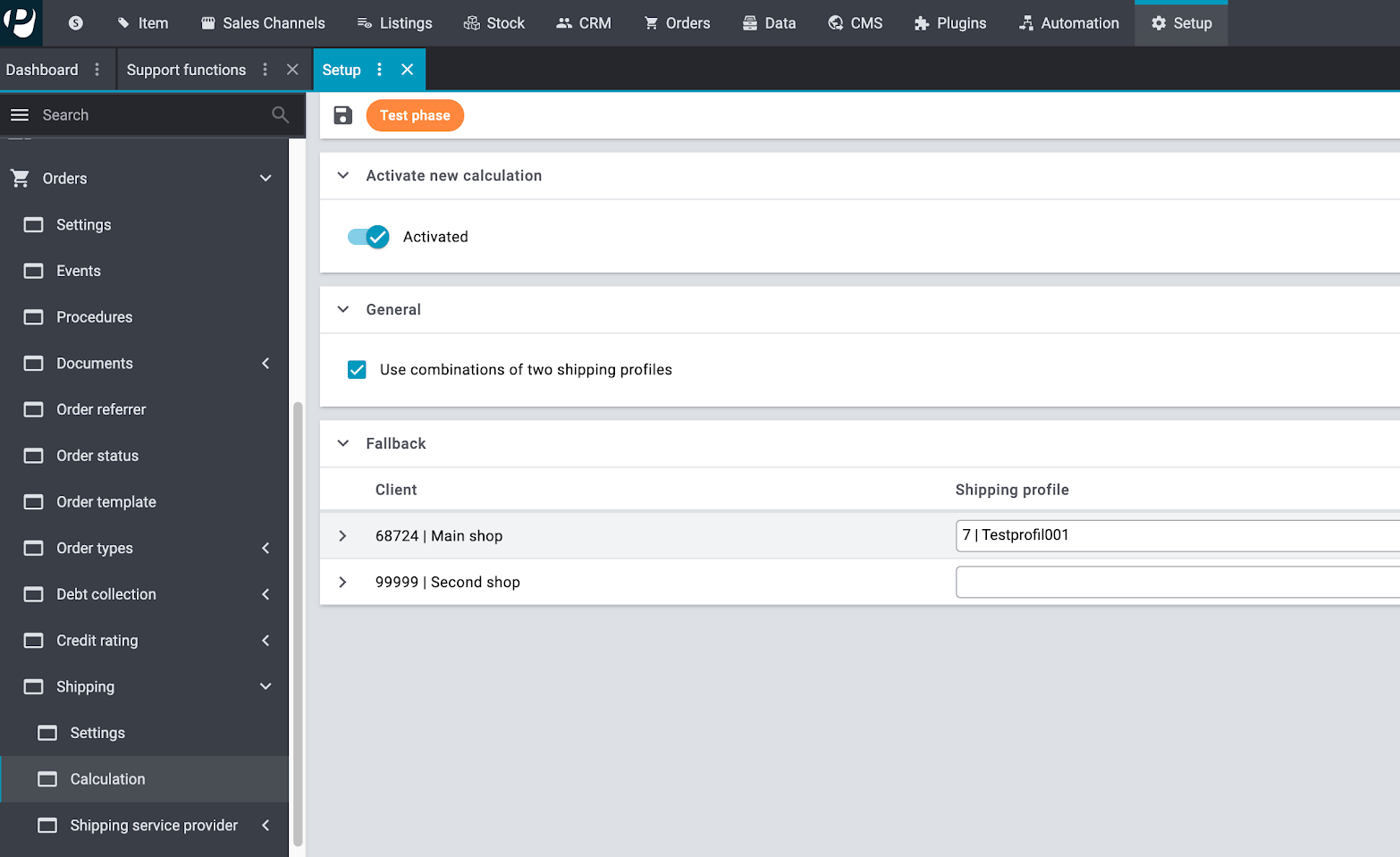
During the test phase, you can activate and deactivate the new calculation. You can find the setting in the menu Setup » Orders » Shipping » Calculation.
You can also decide whether you want to use combinations of two shipping profiles and define a fallback profile.
1.1. Examples
1.1.1. Different behaviour due to priority
-
Profile A has priority 1
-
Profile B has priority 1
-
Profile C has priority 3
The order contains two items:
-
Item 1 has profile A and C active
-
Item 2 has profile B and C active
| Previous calculation | New calculation |
|---|---|
A combination of several shipping profiles can, depending on the priorities, take precedence over a single shipping profile. |
No combinations are calculated if a single valid profile is found regardless of the priorities. |
1.1.2. Different behaviour due to category
-
Profile A has category 1
-
Profile B has category 1
-
Profile C has category 2
The order contains two items:
-
Item 1 has profiles A and C active
-
Item 2 has profiles B and C active
| Previous calculation | New calculation |
|---|---|
The determination is based on the level of the category: If there is a combination of profiles that has a lower category than a single profile, this combination is determined. |
Individual profiles take precedence over combinations, regardless of the category level. |
1.2. New features
Two new features have been integrated into the new calculation logic.
-
A fallback profile can be defined for each client and each region. This is used if no profile or combination can be calculated.
|
If no shipping profile can be determined and no fallback profile has been determined, the calculation will not produce a result but an error message. |
-
The setting Self-pickup (new calculation) has been added to the shipping profiles.
If you activate the checkbox in the menu Setup » Orders » Shipping » Options in the Shipping profiles tab, the shipping profile list for an order is initially calculated without self-pickup profiles and the self-pickup profiles that are active for the order and all items are appended to the results list. Combinations of several self-pickup profiles are not possible.
Example for self-pickup:
-
Profile A: no self-pickup
-
Profile B: no self-pickup
-
Profile C: self-pickup
The order contains two items:
-
Item 1 has profiles A and C active
-
Item 2 has profiles B and C active
→ The result without self-pickup profiles is determined first: Combination A/B
The joint self-pickup profiles are then added at the end. Result: (A,B), C